IMAGE EDITING SERVICE

Multi-Path Clipping Path Services — Precision for Every Detail

Professional multi-path editing for products and fashion images that need separate paths for individual parts, colors, materials and variations. We create accurate, organized paths while preserving every important detail.

Multi-path editing example with separate product paths
Multiple paths • Precise selections • Flexible editing

Professional Multi-Path Editing for Flexible Product Control

Multi-path clipping creates separate editable paths around different elements of an image. It is ideal when you need to change colors, isolate parts, adjust individual areas or prepare multiple product variations from one original photo.

01

Separate Product Paths

Individual paths can be created around the outline, clothing, accessories and other important image elements.

02

Easy Color Changes

Separate selections make it easier to recolor products and create multiple catalog variations from one image.

03

Precise Detail Control

Fine areas such as hair, glasses, clothing, skin and accessories can remain independently editable.

04

Catalog Ready

Organized multi-path files are useful for e-commerce catalogs, fashion workflows and repeated product production.

See Our Multi-Path Editing Work

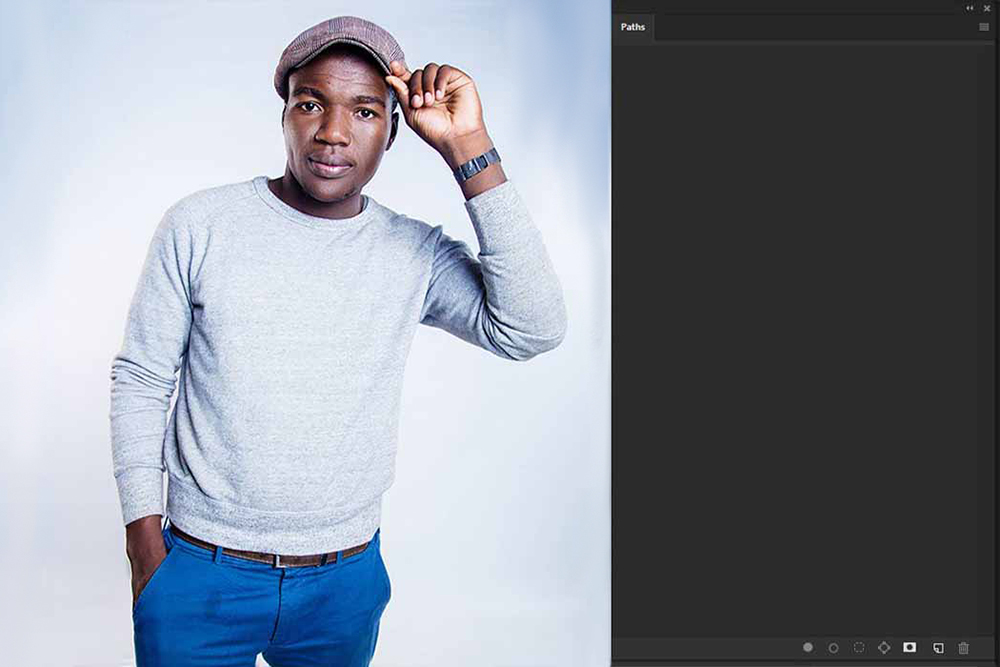
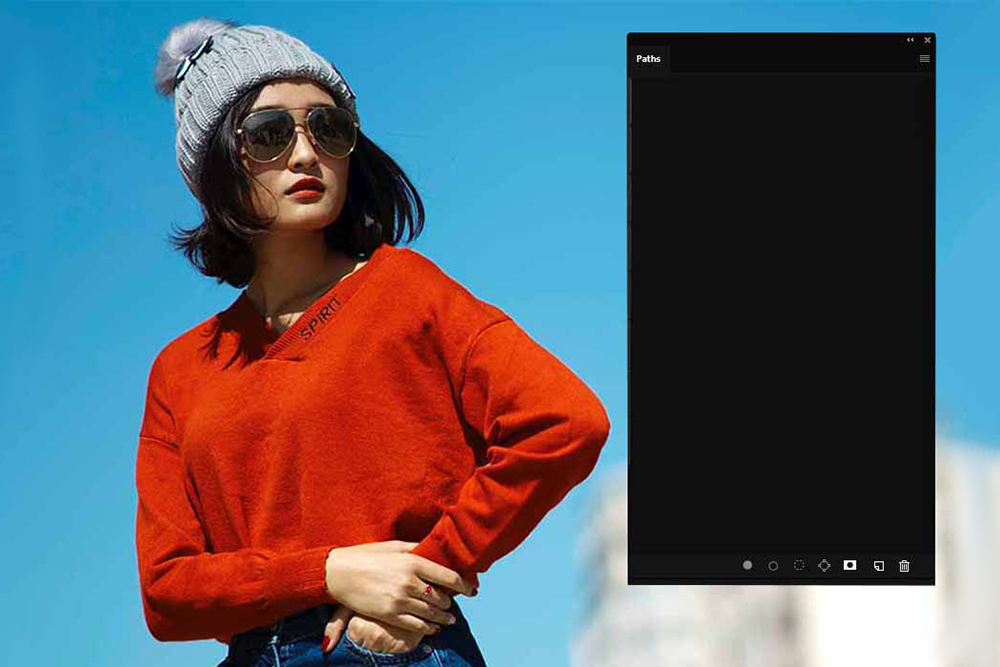
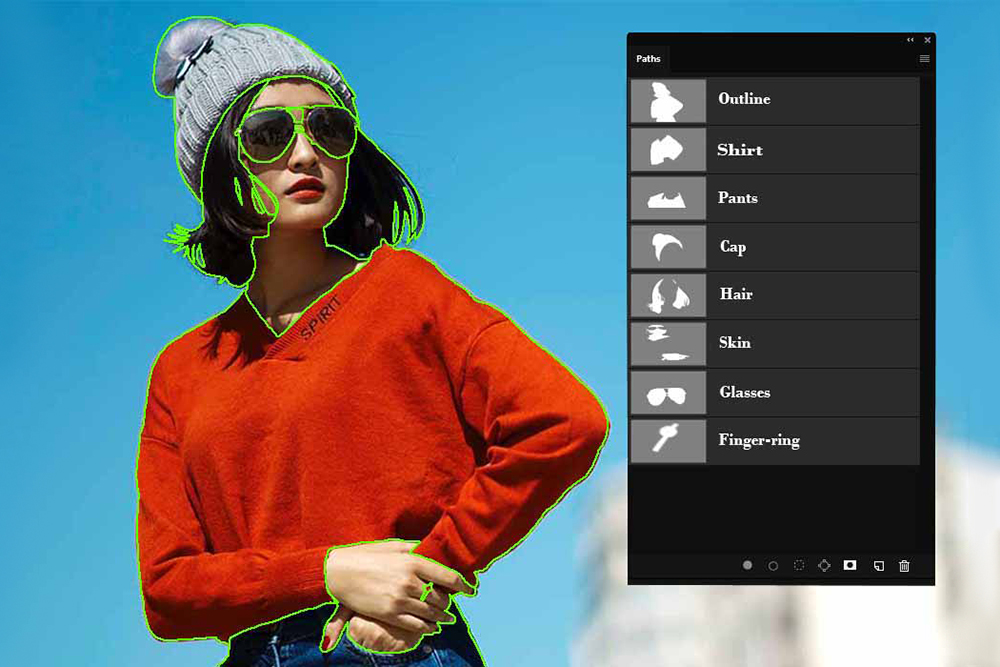
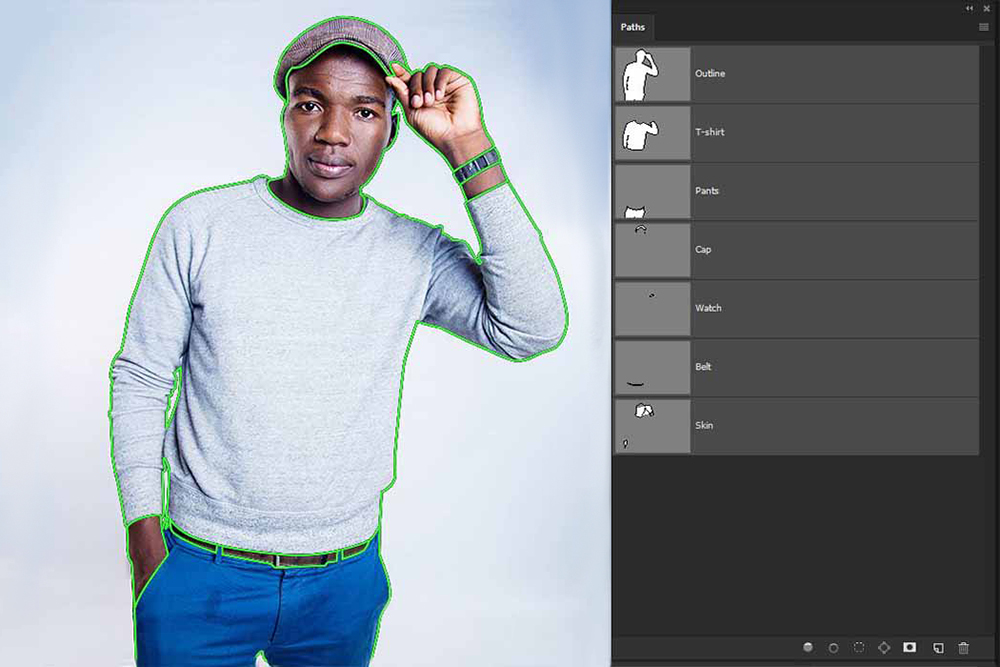
Drag the slider from left to right to compare the original image with the completed multi-path result and see how separate paths are prepared for individual elements.

Multi-path editing before example oneMulti-path editing after example oneBEFOREAFTER
↔

Multi-Path — Fashion Details

Separate paths identify the model, clothing, hair, glasses and other individual areas for flexible editing and color adjustments.

Drag the handle to compare
Multi-path editing before example twoMulti-path editing after example twoBEFOREAFTER
↔

Multi-Path — Apparel & Accessories

Detailed paths separate the subject, shirt, pants, cap, watch, belt and skin for accurate individual adjustments.

Drag the handle to compare

Why Choose EditPixel Studio?

We focus on accurate path construction, clean organization and consistent results so your images remain easy to edit for future product and catalog requirements.

✓
Detailed Path WorkCareful Photoshop path creation around both major shapes and smaller product elements.
✓
Organized ResultsSeparate areas are prepared clearly so future color and design changes are easier to manage.
✓
Fast TurnaroundEfficient workflow designed for individual images as well as larger catalog batches.
✓
Customer SupportWe follow your specific path requirements and keep the editing workflow clear from start to delivery.
Finished multi-path editing example

Frequently Asked Questions (FAQs)

Multi-path clipping is an advanced path-editing technique where separate paths are created for different parts or elements of an image. This allows each area to be edited independently.
Multiple paths are useful when you need to change the color, brightness, shape or appearance of individual parts without affecting the rest of the image.
Fashion, apparel, accessories, shoes, bags, furniture, products with multiple components and catalog images are common uses for multi-path editing.
Yes. Separate paths make it much easier to recolor selected product areas and prepare multiple variations from a single source image.
You can send your requirements through the quote form and request a sample or trial image before starting a larger project.

Need a Quotation for Multi-Path Services?

Send your images and requirements to our team. We can review the image complexity, understand the paths you need and provide a suitable quotation for your project.

Request Free Trial